Z4nzuhackingtool
HackingTool
HackingTool is a Python terminal application that installs, launches, and organises 185+ widely-used security-research tools across 20 categories — from information gathering and wireless attacks through active directory exploitation, cloud security, and forensics. It is a unified launcher and orchestrator, not an attack framework: it wraps well-known third-party tools (nmap, sqlmap, BloodHound, Nuclei, Sliver, Frida, and more) behind a single Rich-based TUI so practitioners and CTF players can find, install, and run the right tool without remembering commands across dozens of projects.
Use cases
- Bootstrap a Kali/Parrot/Ubuntu pentest environment with a curated toolset in minutes
- Discover which tool to use for a given task without leaving the terminal
- Run CTF challenges with a consistent, categorised tool collection across machines
- Search across 185+ tools by keyword, tag, or natural-language task description
- Manage tool installations and updates from one menu (install, run, update, uninstall)
- Use a Docker container with a Kali base for isolated, reproducible pentest labs
- Quickly install all tools in a category at once before an engagement starts
How it works
HackingTool is a pure-Python TUI built on the rich library. Every tool is a subclass of the HackingTool base class, which declares TITLE, DESCRIPTION, INSTALL_COMMANDS, RUN_COMMANDS, SUPPORTED_OS, TAGS, and capability flags (REQUIRES_ROOT, REQUIRES_WIFI, REQUIRES_GO, etc.). Groups of tools form a HackingToolsCollection, which drives the category menus. An is_installed property checks at runtime whether the tool's binary is on PATH or its clone directory exists — powering the ✔/✘ status indicator shown next to every tool in the menu.
OS awareness is baked in: at startup, os_detect.py runs once and produces a CURRENT_OS singleton detecting system (linux/macos/windows), distro ID, package manager (apt-get, pacman, dnf, brew, etc.), WSL status, and architecture. The menu-rendering code filters out tools whose SUPPORTED_OS list doesn't include the current system, so macOS users never see Linux-only wireless drivers, and WSL users get a targeted warning. Archived (unmaintained) tools are quarantined into a separate sub-menu (option 98) instead of polluting the active list.
The smart update system reads each tool's INSTALL_COMMANDS and auto-selects the correct update strategy: git -C <dir> pull for git-cloned tools, pip install --upgrade for pip-installed ones, go install for Go tools, and gem update for Ruby gems. No per-tool configuration is needed.
What makes HackingTool different from a list or a wiki is the three-way discovery layer: /keyword keyword search (title + description + tags), t tag filter (19 semantic tags auto-derived by regex rules — osint, scanner, c2, cloud, active-directory, etc.), and r recommend (maps plain-English tasks like "pentest active directory" or "crack passwords" to matching tools across tags). This means a user unfamiliar with all 185 tools can always find the right starting point.
Features
- Keyword search — type
/queryat the main menu to search all 185+ tools by title, description, and tags instantly. Matches across title, DESCRIPTION string, and the TAGS list; results display with install status. - Tag filter — type
tto see 19 semantic tags (osint, scanner, c2, mobile, cloud, active-directory, forensics, payload, wireless, etc.) with counts, then pick one to see all matching tools. Tags are auto-derived from tool title and description via regex rules; manualTAGSclass attribute allows overrides. - Recommend engine — type
rto choose a common pentest task ("scan a network", "find subdomains", "post exploitation", "pentest cloud", "forensic analysis") and get a curated list of relevant tools. Maps task strings to one or more tags; de-duplicates tools that match multiple tags. - Install status indicator — ✔/✘ shown next to every tool in every category menu, computed at render time via
is_installed(binary on PATH or clone dir exists). - Batch install — option
97inside any category installs all not-yet-installed tools in that category in sequence. Shows progress as(N/total) ToolName; skips already-installed tools. - Smart update — the Update option on every tool auto-detects install method and runs the right command (
git pull/pip upgrade/go install/gem update) without manual configuration. - Open Folder — jumps the user into the tool's local directory in a new shell, useful for manual configuration or running sub-commands.
- OS-aware gating — tools with
SUPPORTED_OS = ["linux"]are hidden automatically on macOS; count of hidden tools is shown as a footer note. - Archived tools sub-menu — tools marked
ARCHIVED = Trueappear in a separate option-98 sub-menu with the archival reason, not in the active list. - Docker / Kali container — builds locally from
kalilinux/kali-rolling:latest; no external pre-built image required. Docker Compose supports adevprofile with live source mount. - One-liner install —
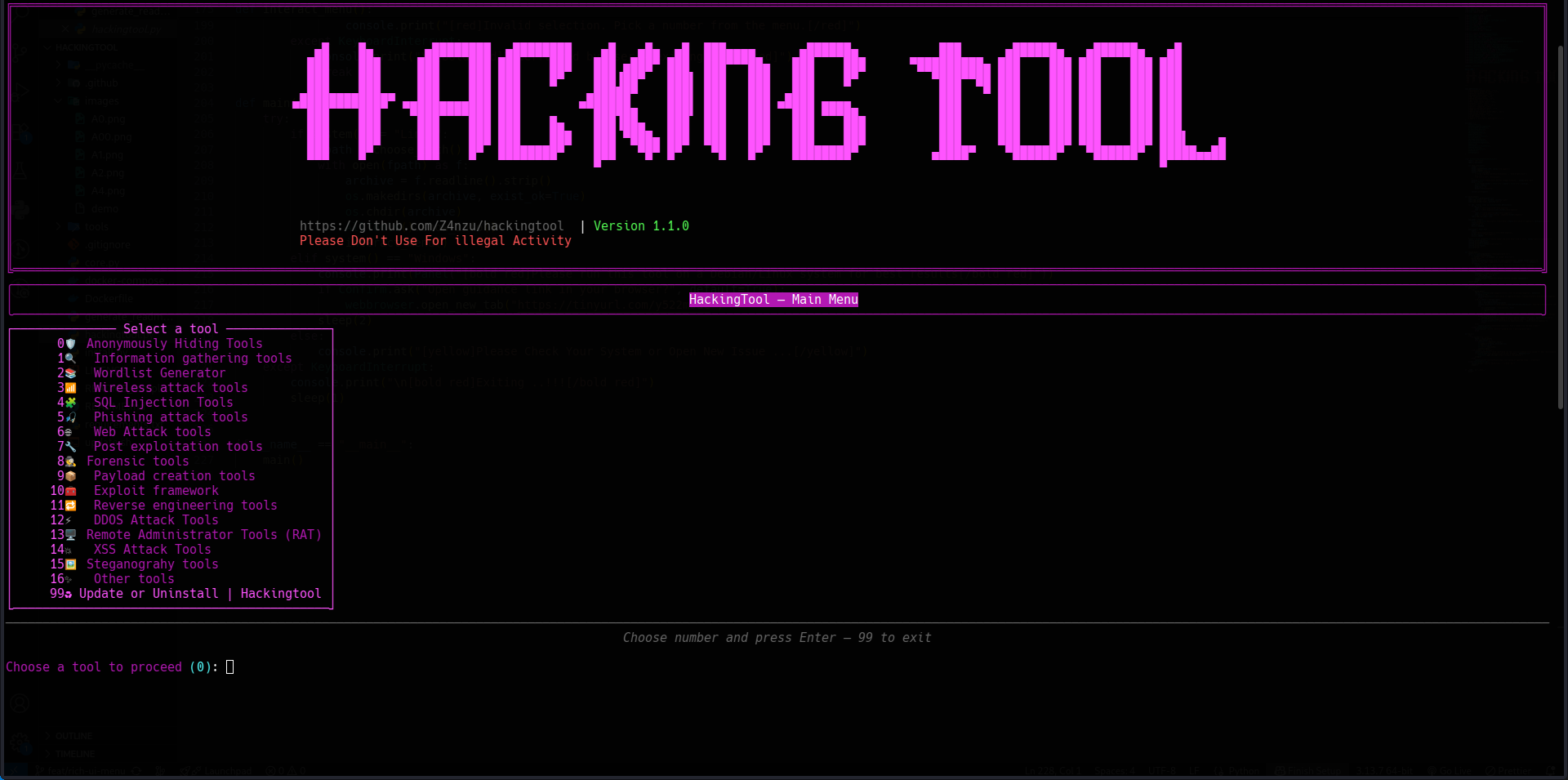
curl -sSL .../install.sh | sudo bashhandles system deps, venv, clone, launcher; placeshackingtoolbinary on PATH. - 20 tool categories — Information Gathering, Wordlist Generator, Wireless Attack, SQL Injection, Phishing, Web Attack, Post Exploitation, Forensics, Payload Creation, Exploit Framework, Reverse Engineering, DDOS, RAT, XSS, Steganography, Active Directory, Cloud Security, Mobile Security, Anonymous Hiding, Other Tools.
Showcase
Main menu — terminal UI
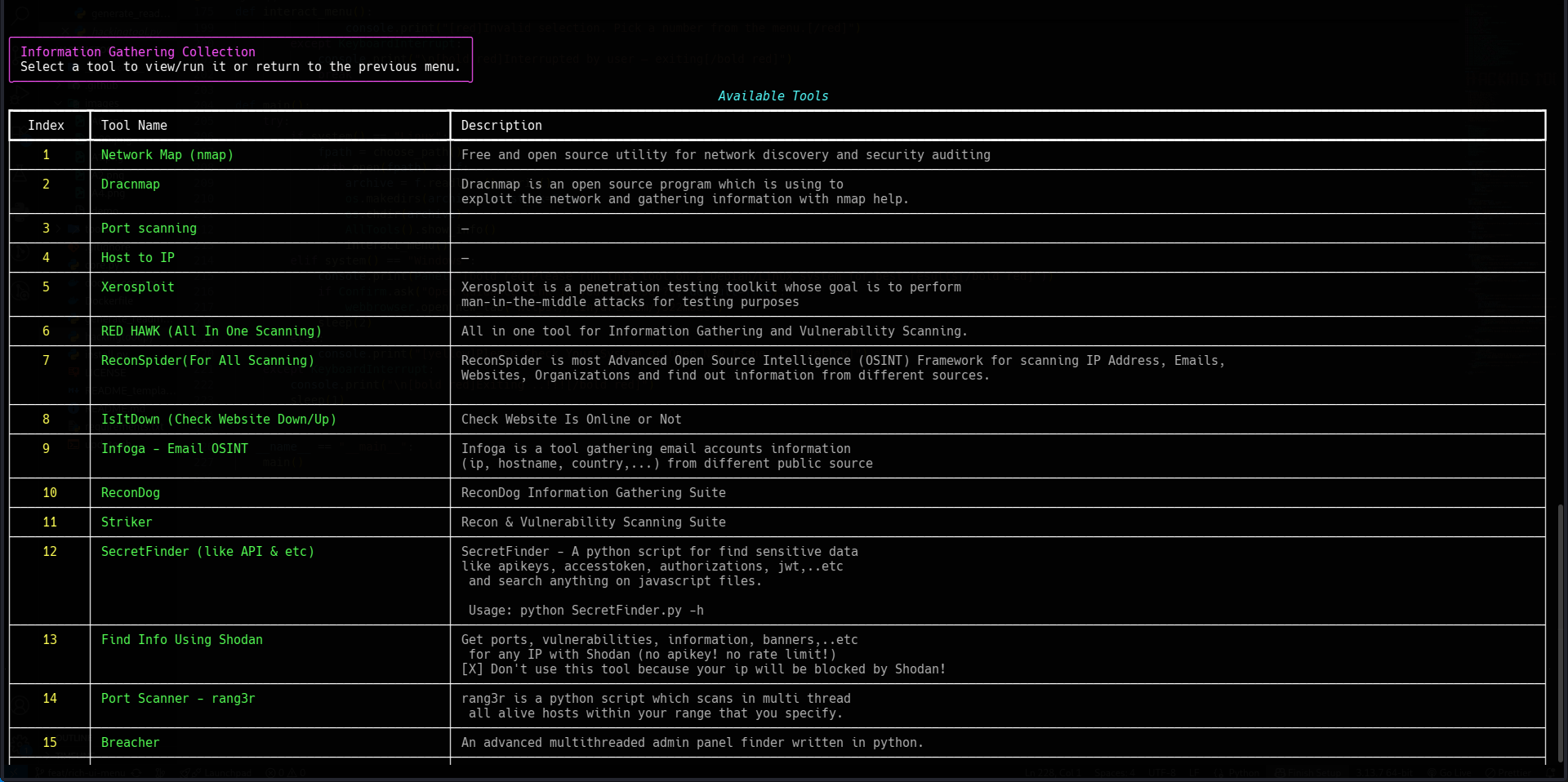
Category view — Information Gathering tools
Live examples
- Tool category modules — browse the per-category Python modules to see how
HackingToolsubclasses are structured.
Documentation
- README — full tool list, quick commands, installation
- core.py — HackingTool and HackingToolsCollection base classes
- hackingtool.py — search, tag filter, recommend, main menu
- os_detect.py — OS / distro / package-manager detection
Quick start
# One-liner install (recommended)
curl -sSL https://raw.githubusercontent.com/Z4nzu/hackingtool/master/install.sh | sudo bash
hackingtool

# Or manual
git clone https://github.com/Z4nzu/hackingtool.git
cd hackingtool
sudo python3 install.py
hackingtool

# Or Docker
docker build -t hackingtool .
docker run -it --rm hackingtool