ZimaOS
ZimaOS is a Linux-based NAS operating system built by IceWhaleTech on Buildroot, evolving from their CasaOS project. It ships as an installer image for any x86-64 UEFI machine — including ZimaBoard, ZimaBlade, ZimaCube, and generic Intel NUC hardware — with a web-based management dashboard, a curated Docker app store, and built-in RAID, remote access, file sharing, and virtualization features. The repo is the distribution channel for installer images; build sources live in the broader IceWhaleTech ecosystem.
Showcase
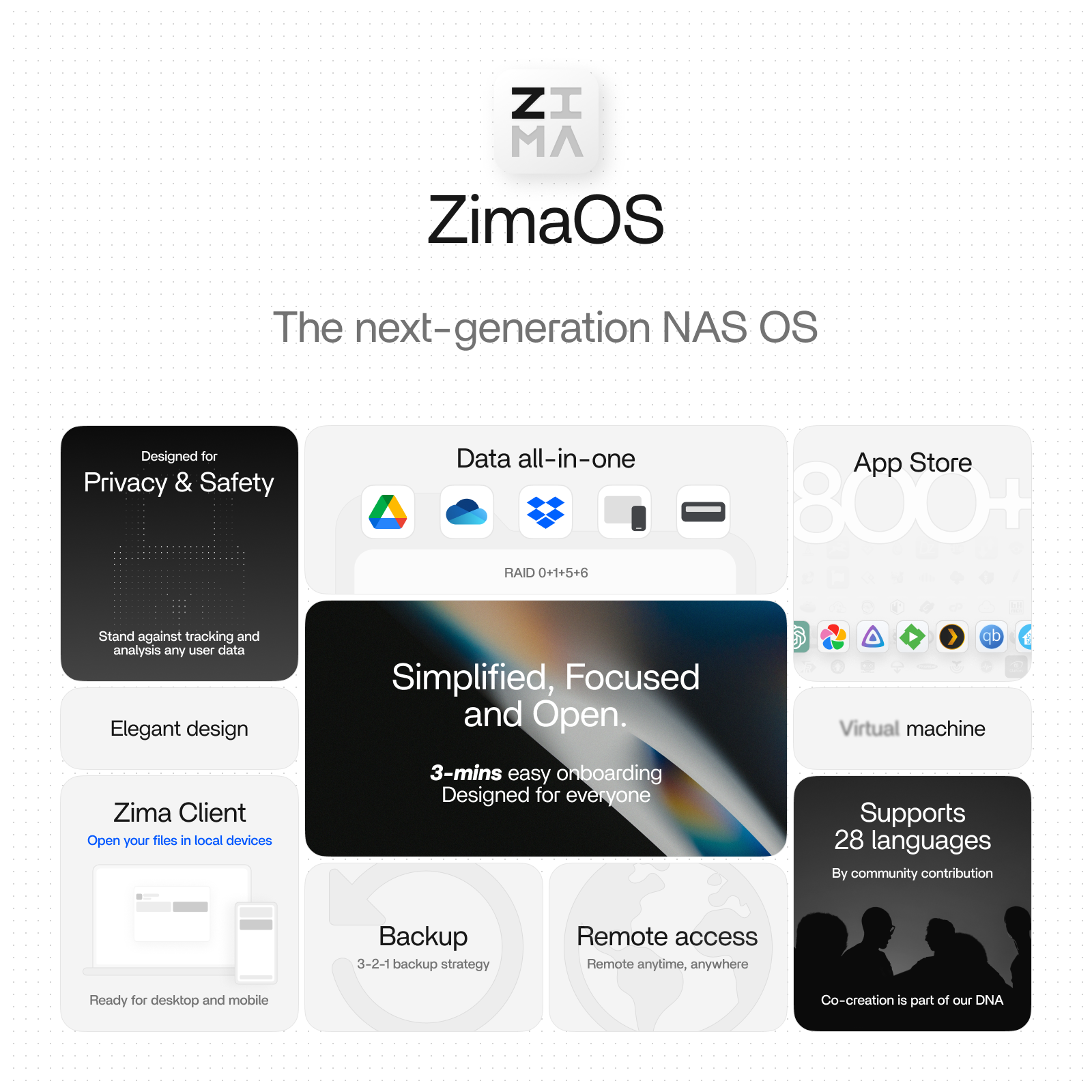
ZimaOS Overview
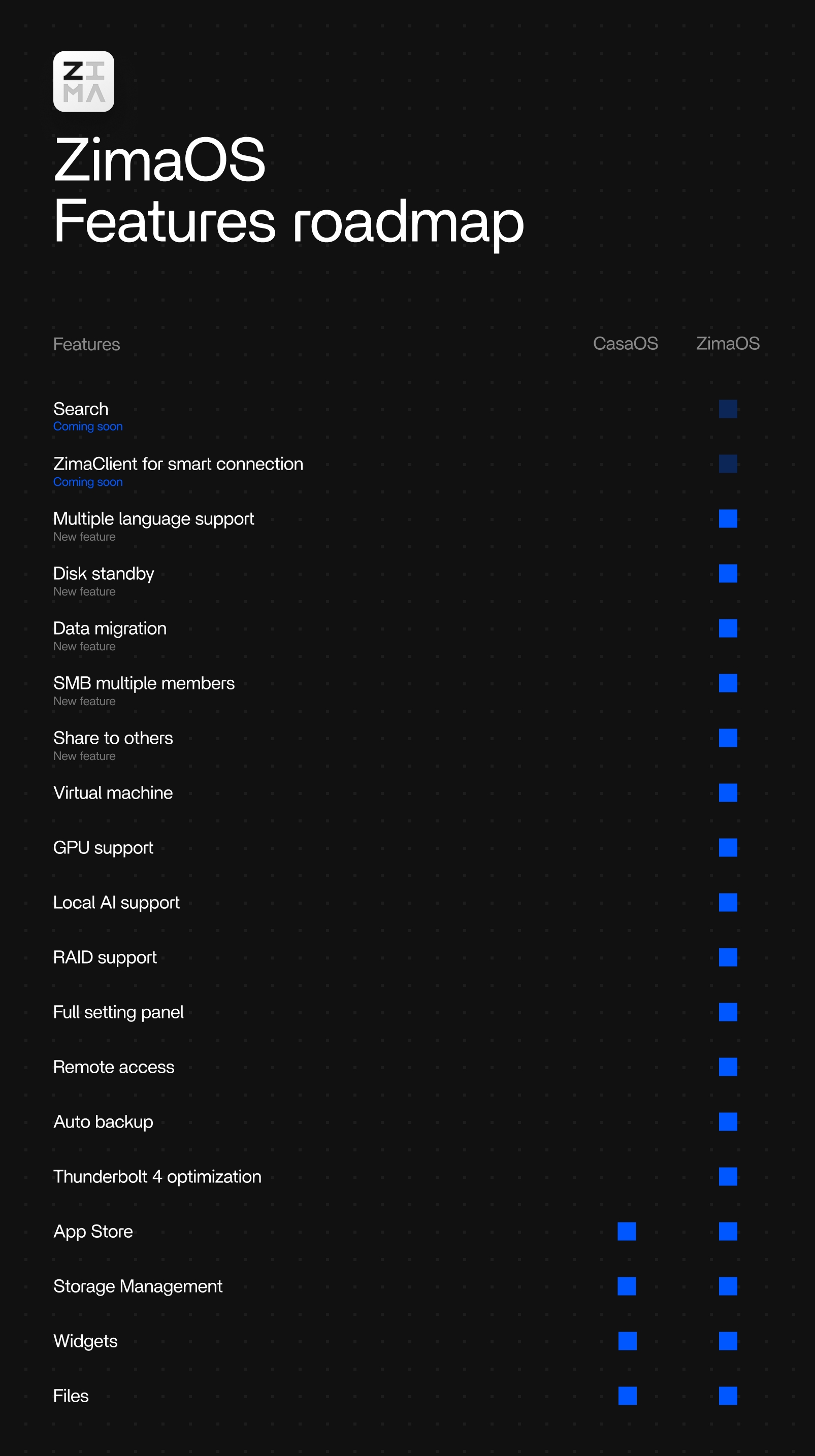
ZimaOS vs CasaOS Differences
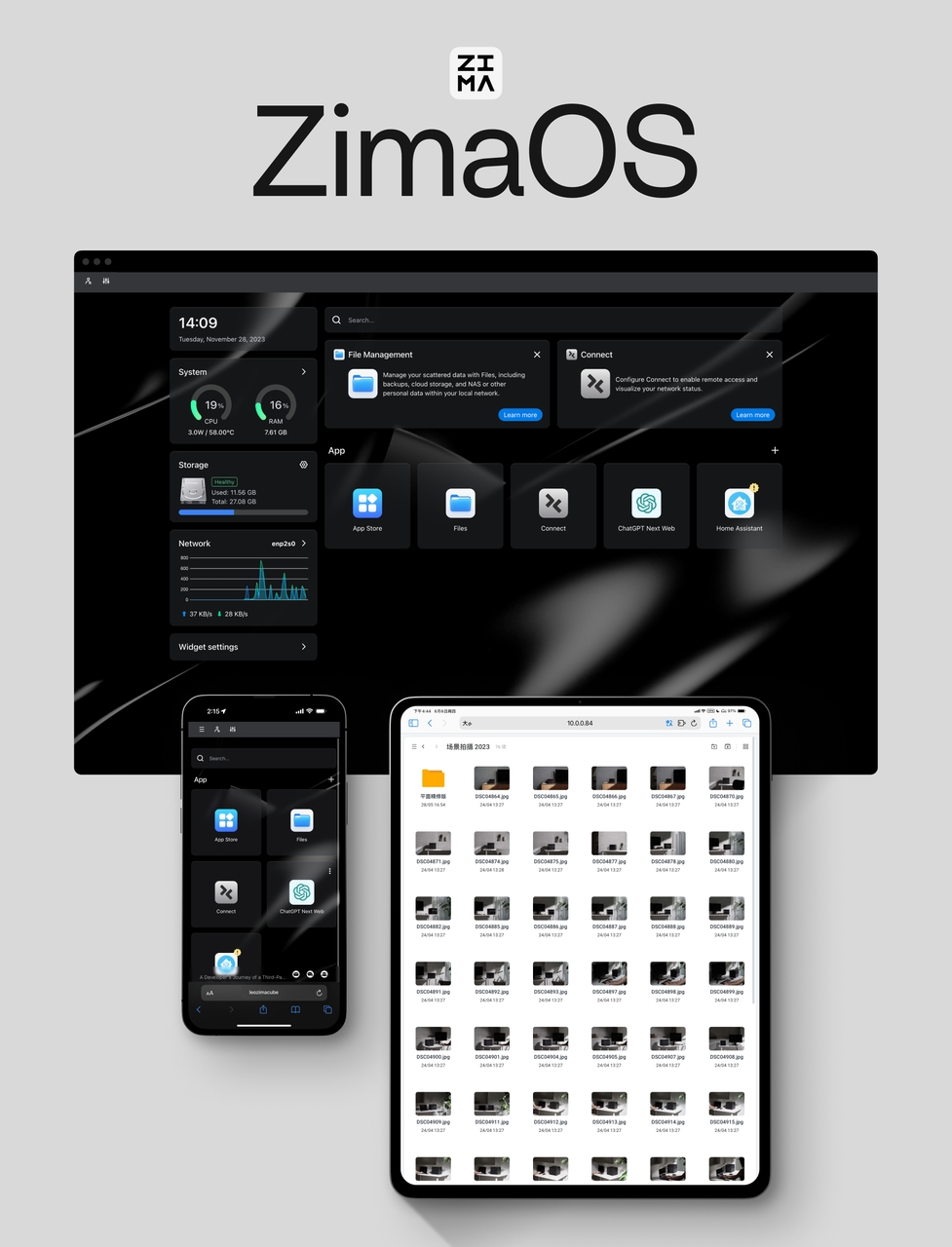
Web Dashboard
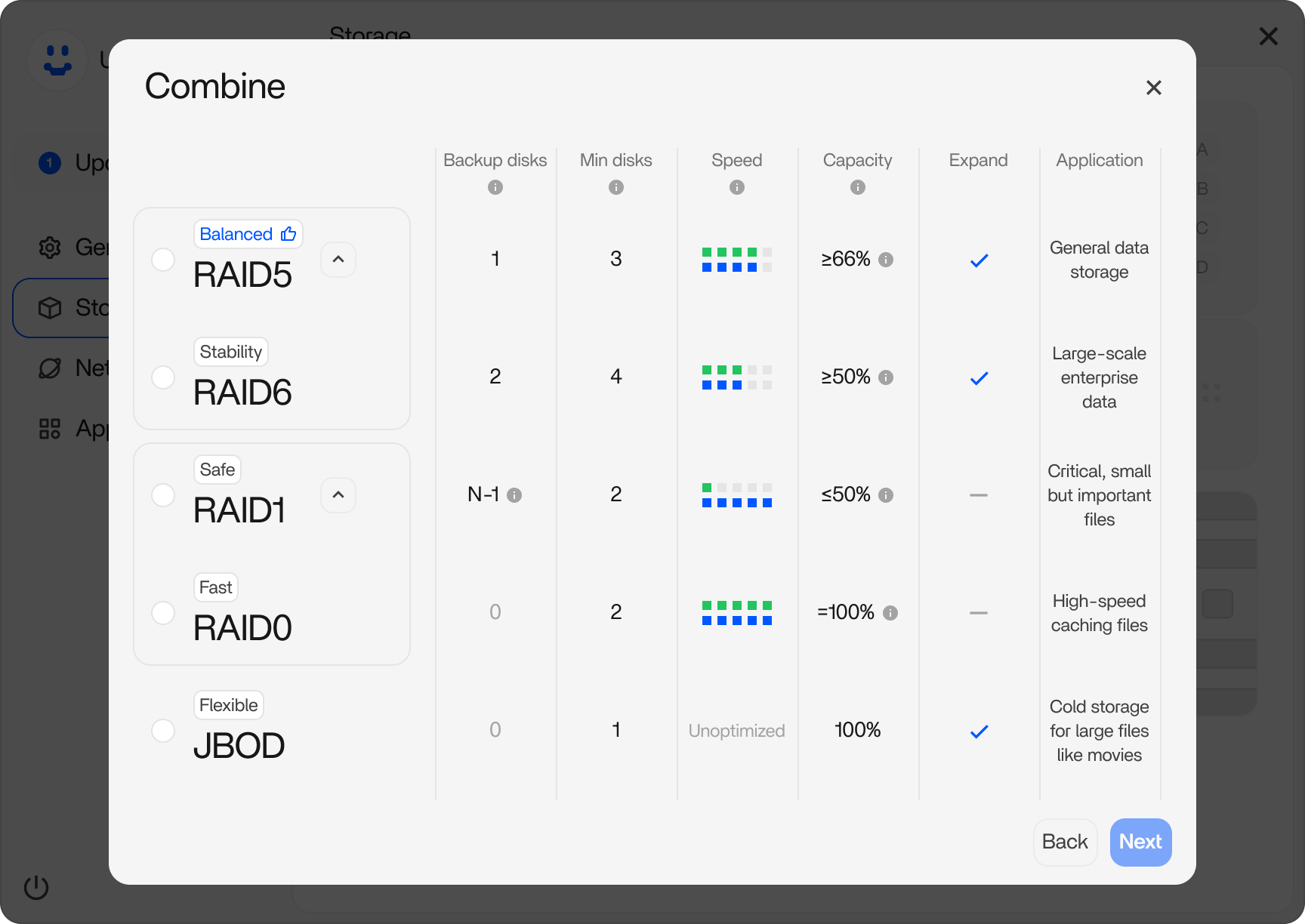
RAID Setup Wizard
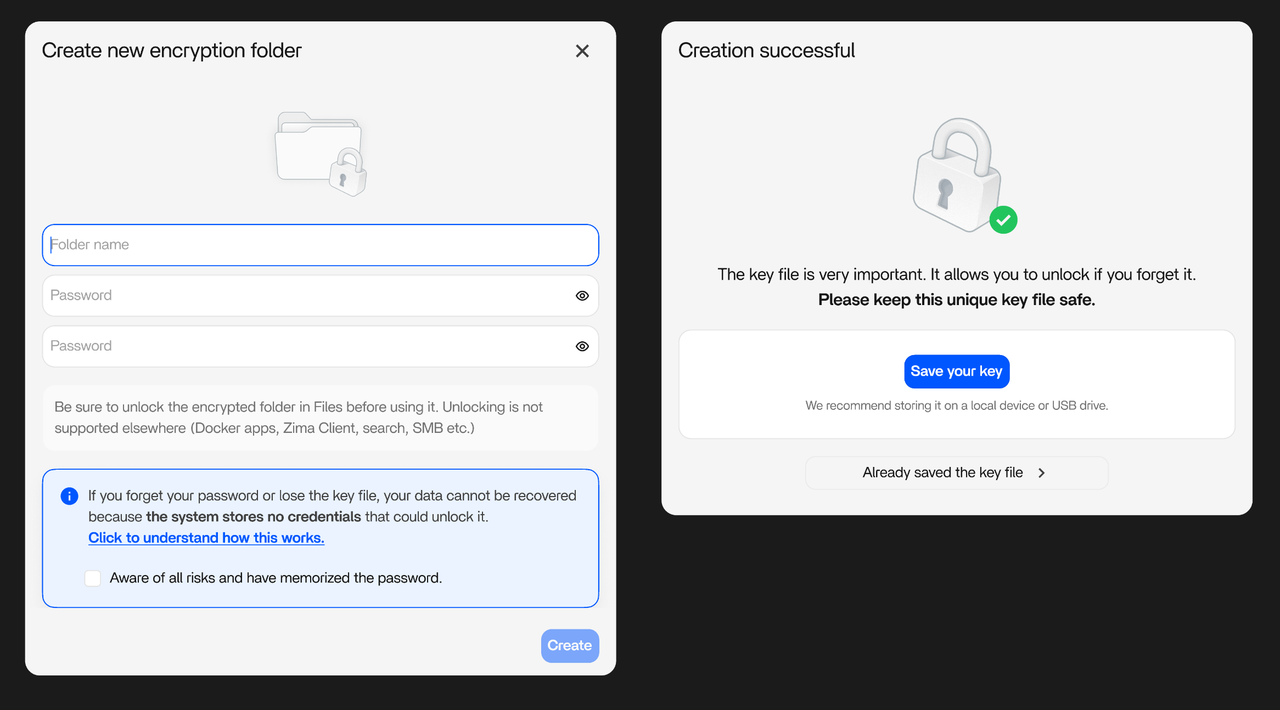
Encryption Folder
Features
- App Store with 800+ apps — one-click Docker container install; Jellyfin, Plex, Immich, Home Assistant, OpenWebUI, Pi-hole, Nextcloud, Paperless-ngx, Radarr, and more. Third-party community stores add hundreds more.
- RAID 0 / 1 / 5 / 6 / JBOD — 3-click visual wizard; no CLI required. ZFS available via command line.
- P2P remote access — Zima Client auto-configures encrypted P2P tunnels; no port forwarding, no cloud relay.
- Cloud drive mounting — Google Drive, OneDrive, Dropbox mounted directly into the file manager alongside local disks.
- SMB / NFS / iSCSI / DLNA — network file sharing for Windows, macOS, Linux, and DLNA-compatible TVs.
- ZVM virtual machine — one-click Windows/Linux install inside the NAS OS; supports .img, .qcow2, .vmdk, .vdi images.
- AES-256-GCM encrypted folders — self-developed Zima-OFS filesystem, timed auto-lock, non-recoverable by design (v1.5.4+).
- Local LLM hosting — deploy DeepSeek R1, Ollama models, or OpenWebUI from the app store; GPU passthrough supported.
- AI camera NVR — Frigate + Ollama for motion detection with natural-language scene descriptions.
- 3-2-1 backup system — Zima Backup app covers local, LAN, and cloud destinations.
- Thunderbolt DAS — direct attach at 20 Gbps on ZimaCube Pro (no extra config).
- OTA and offline updates — Buildroot-based update mechanism, stable and rollback-capable.
- 28 languages — UI localised by community contributors.
- Multi-user — folder-level access control, local-only account system (no email/phone registration).
- Proxmox VE installation — ISO image available for VM deployment in homelab environments.
- Pricing — Free (4 disks, 3 users); Plus $29 lifetime (unlimited disks and users).
Documentation
Quick start
# 1. Download the installer image from GitHub Releases
#    https://github.com/IceWhaleTech/ZimaOS/releases/latest
# 2. Flash to USB with Balena Etcher
# 3. Boot target x86-64 machine from USB in UEFI mode
# 4. Follow on-screen installer, select target disk, reboot
# 5. Install ZimaClient on laptop to auto-discover and connect
#    https://find.zimaspace.com/